No items found.
Consultz Account Deletion Policy & Instructions
Last updated: 2026
⚠️ Important warning
Deleting your account is permanent. Your account and associated personal
data cannot be recovered once deletion has been completed.
We respect your privacy and give you full control over your personal data. If you wish to delete your Consultz account and associated data, you can do so directly from within the mobile app by following the instructions below for your account type.
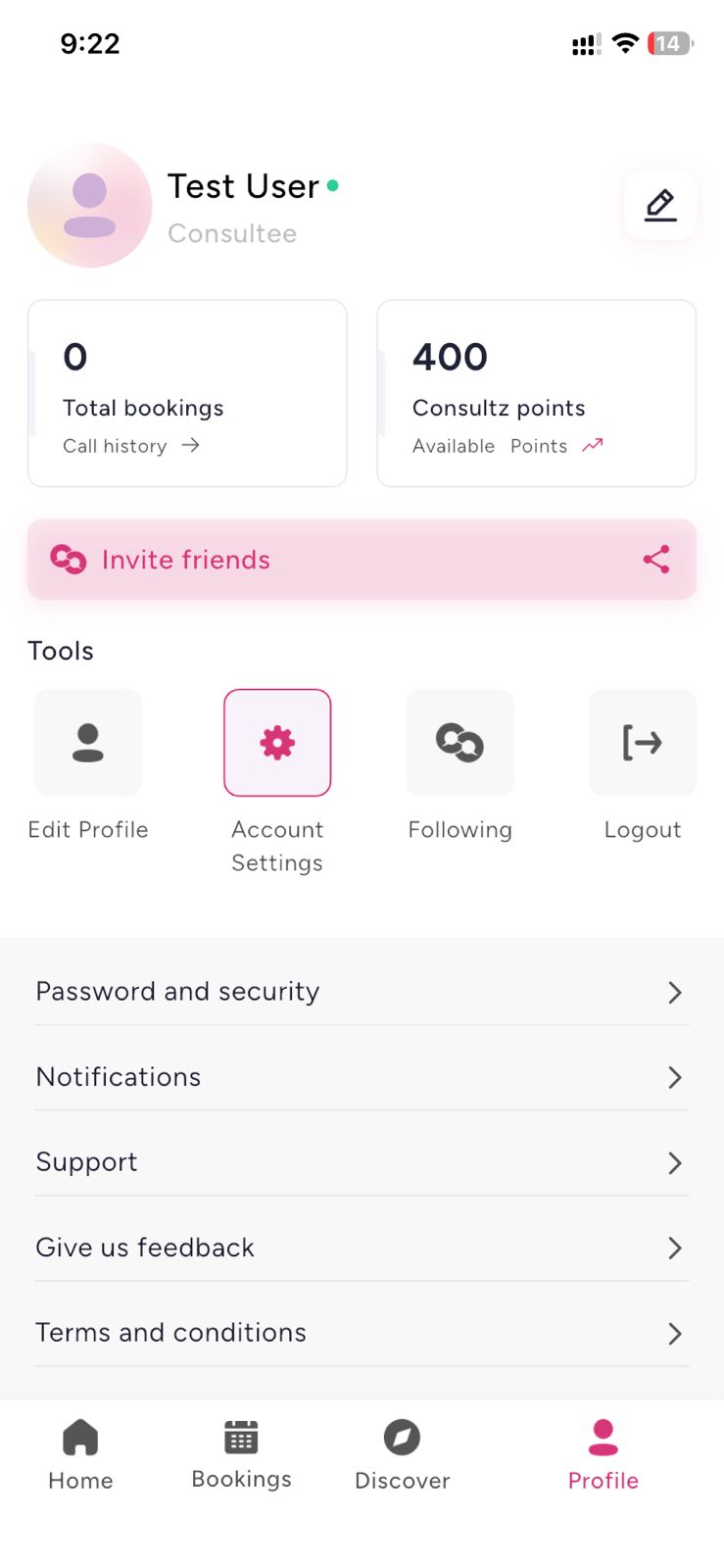
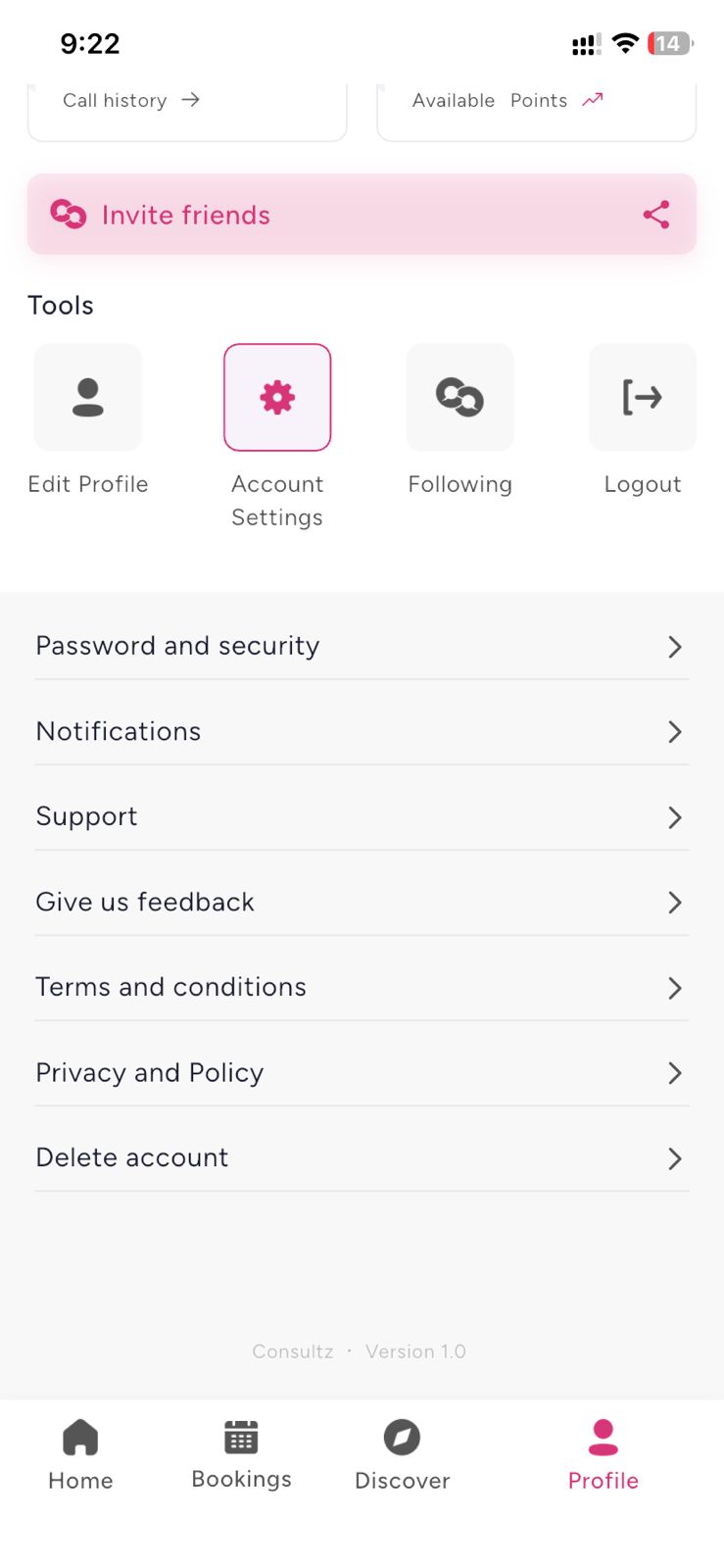
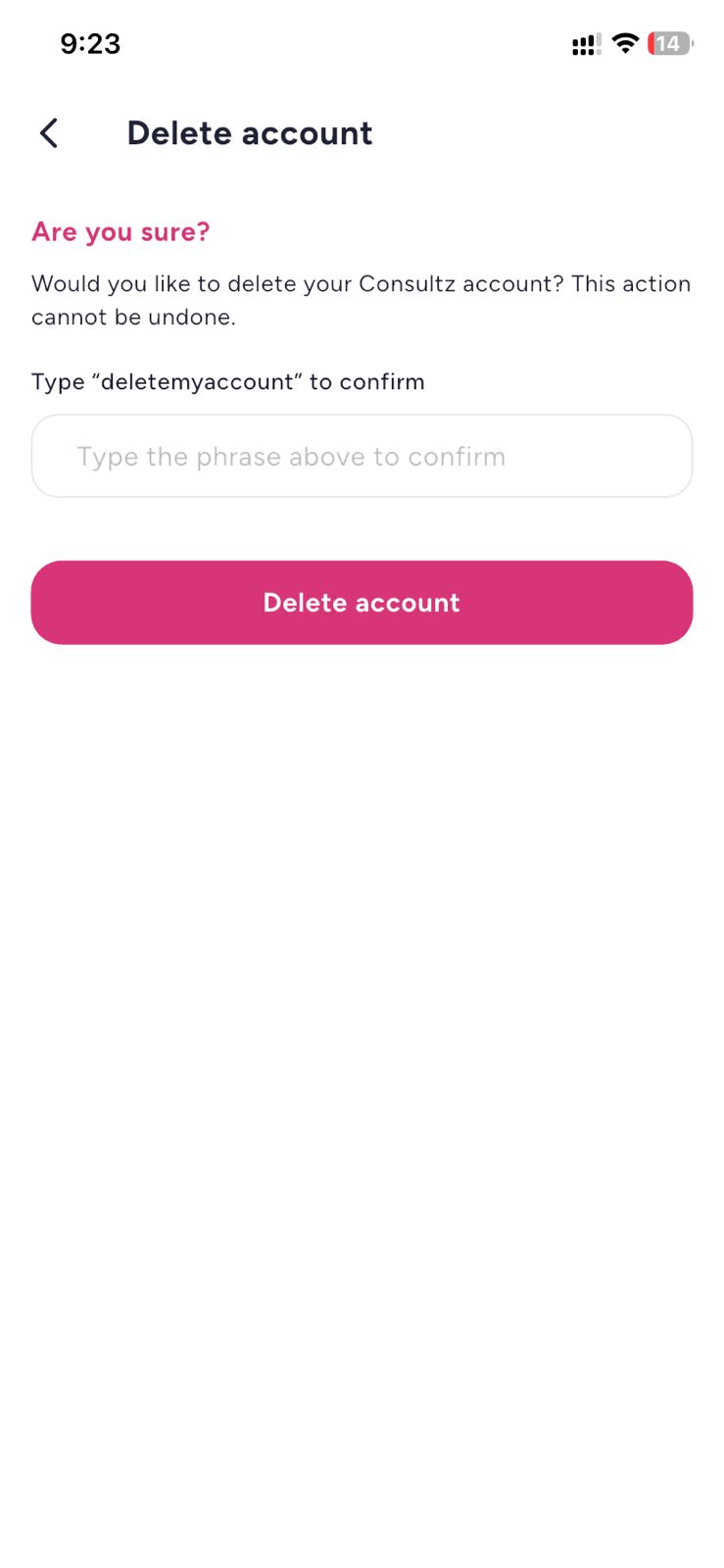
Account deletion for Consultees
- Open the Consultz app and go to the Profile tab.
- Tap the Settings icon directly on your Profile screen.
- Scroll down and select Delete account.
- Type the confirmation phrase deletemyaccount.
- Tap the Delete account button.
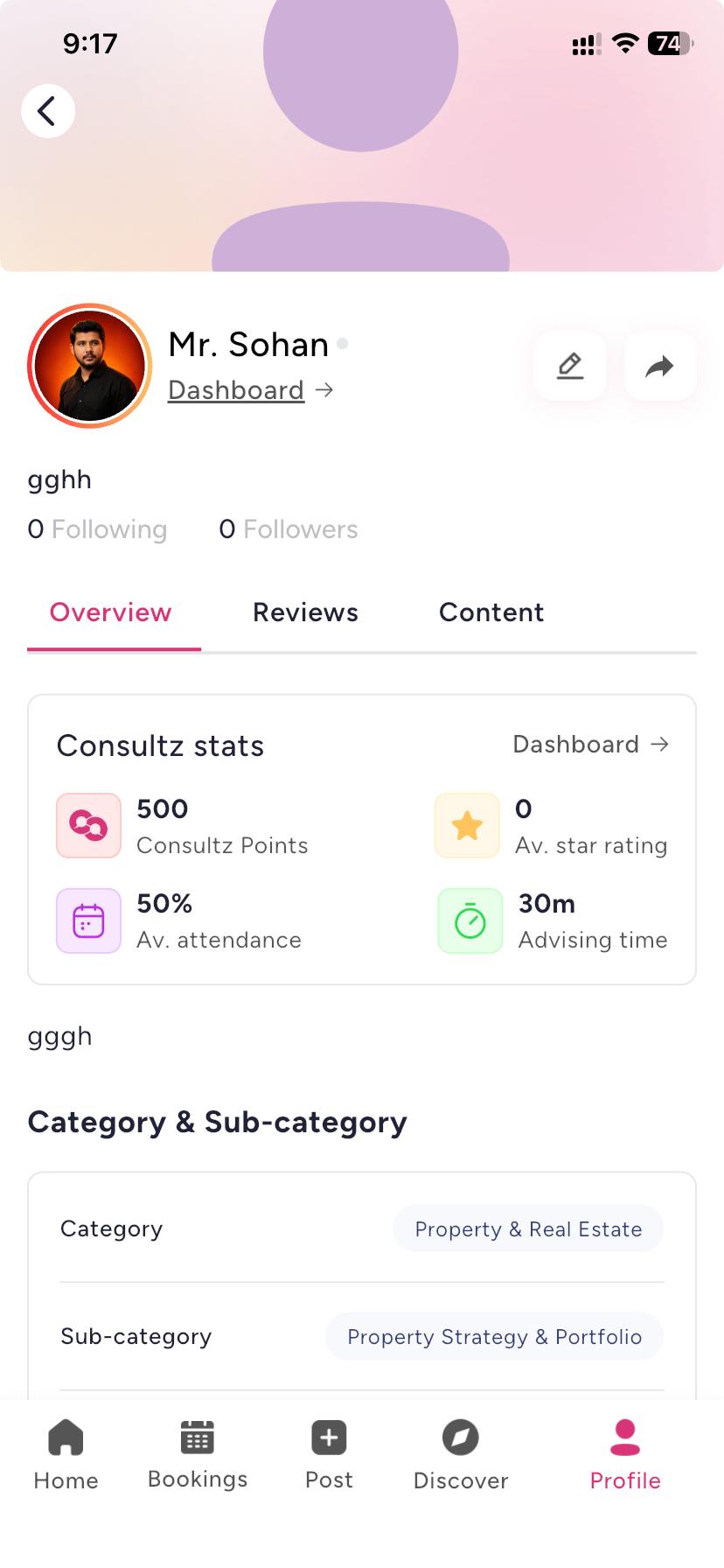
Account deletion for Experts
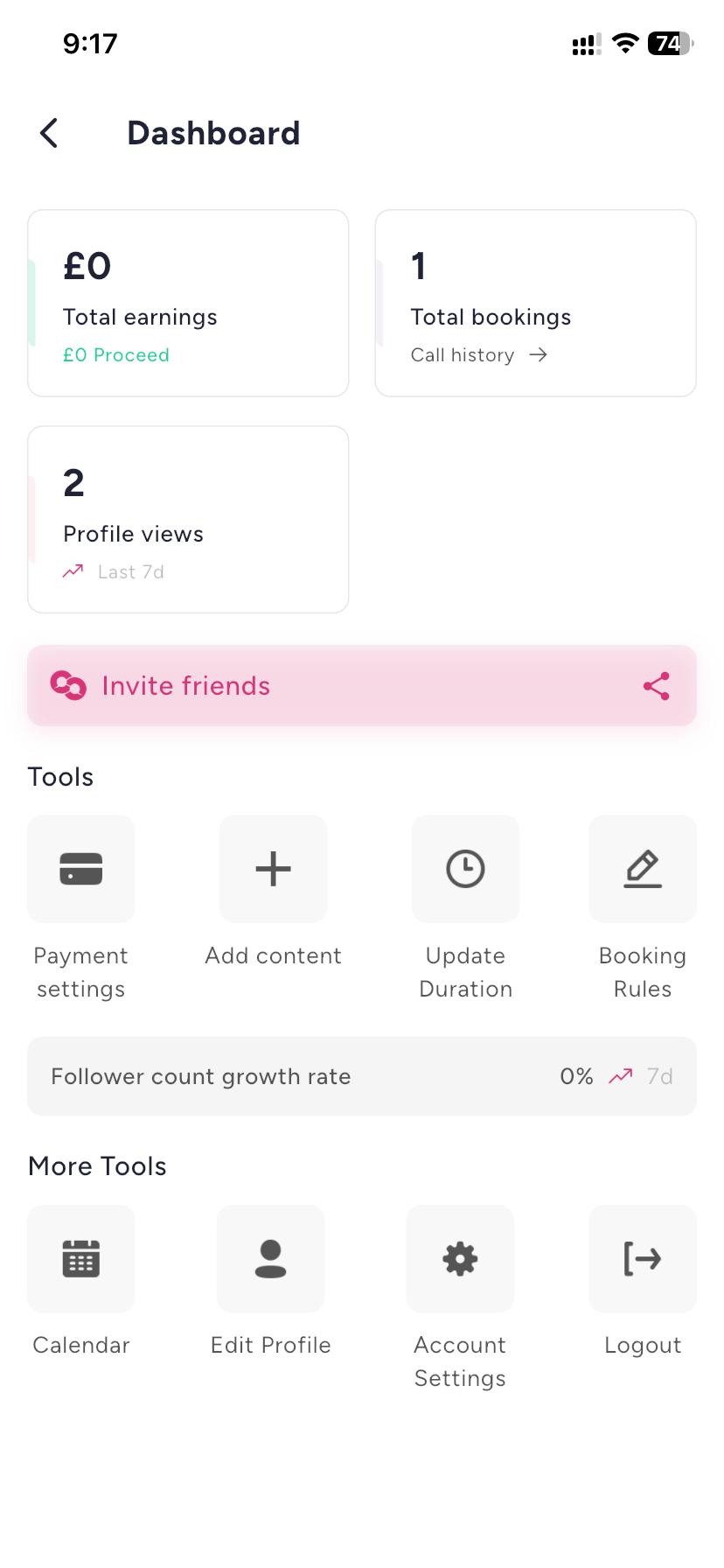
- Open the Consultz app and go to the Profile tab.
- Tap Dashboard, located next to your profile picture and name.
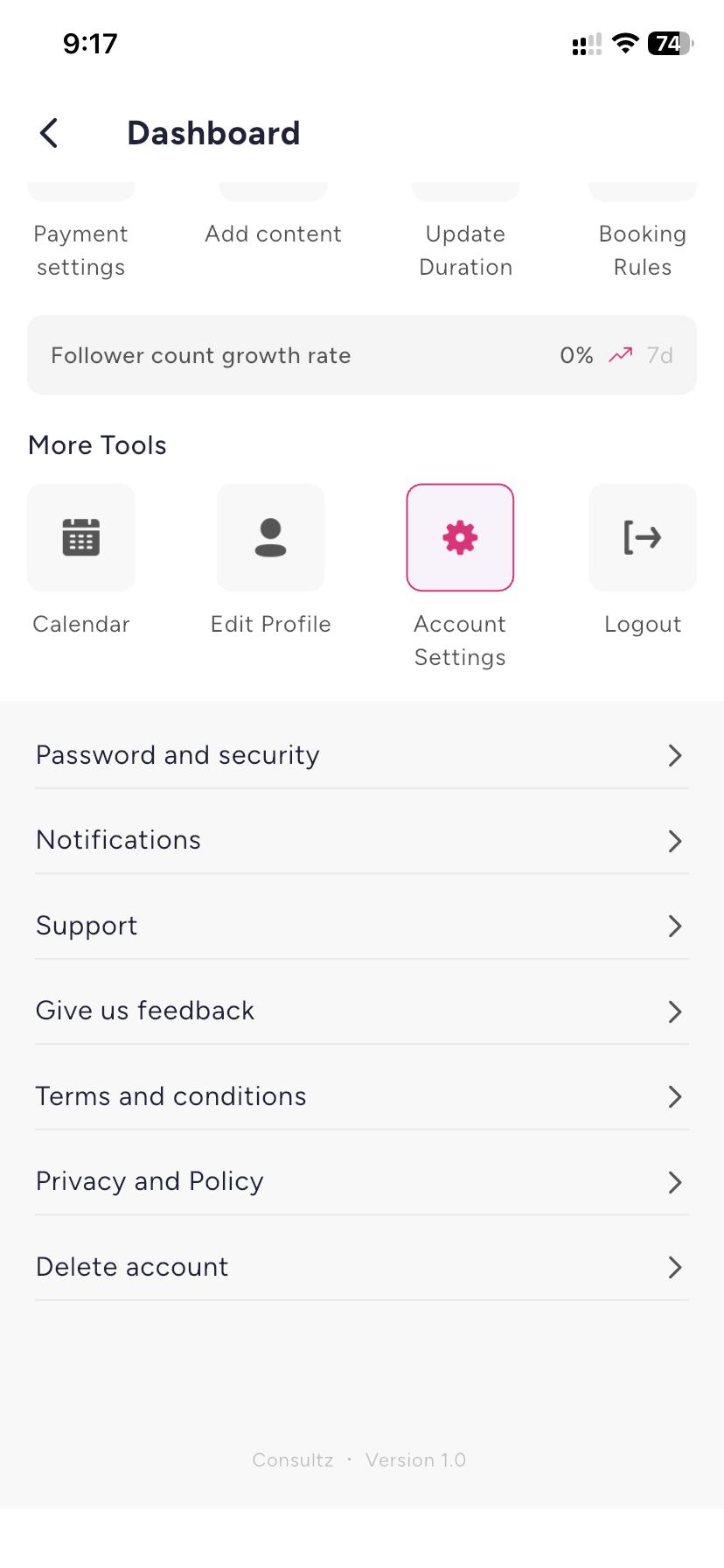
- Under More Tools, tap Account Settings.
- Scroll down and select Delete account.
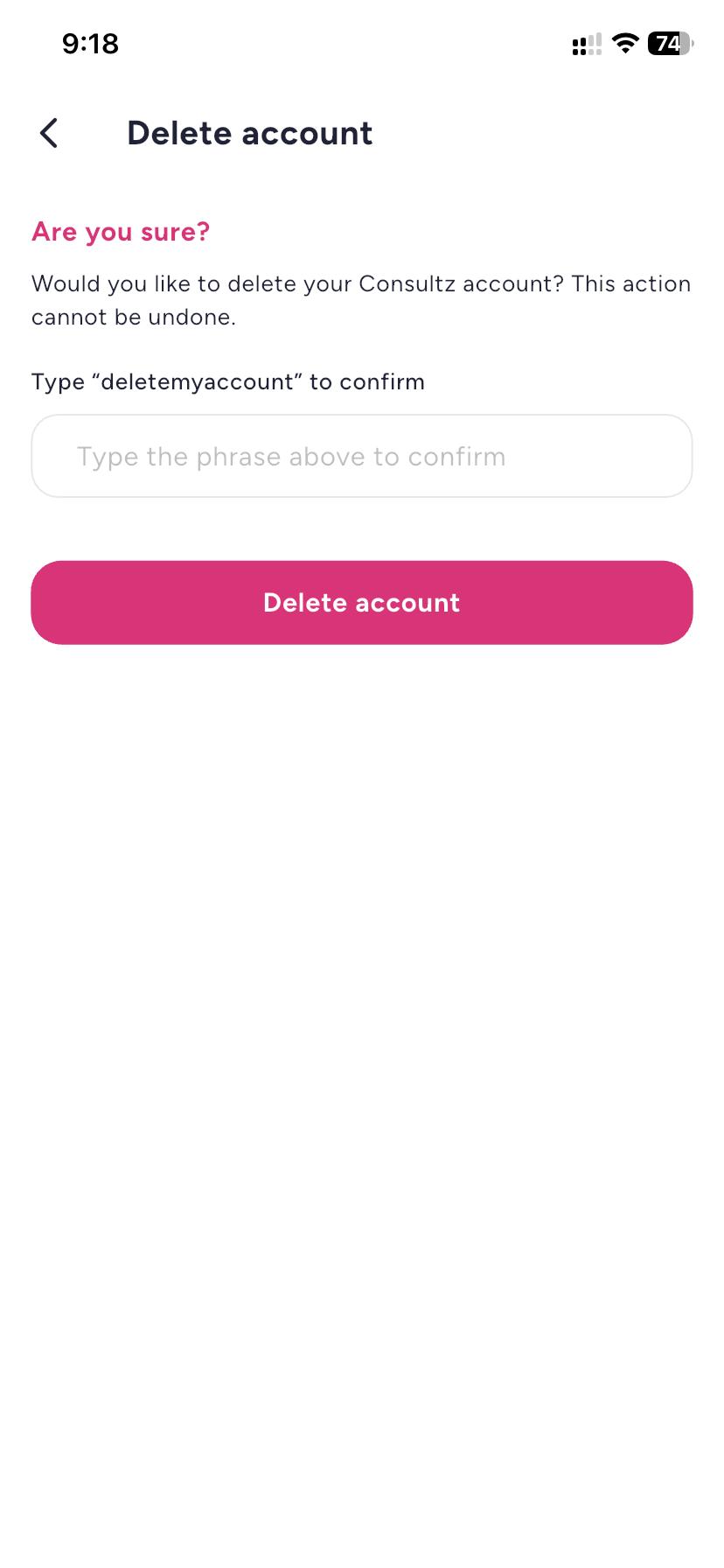
- Type the confirmation phrase deletemyaccount.
- Tap the Delete account button.
What happens after deletion
- Your account will be deleted immediately and you will be logged out.
- This action is permanent and cannot be undone.
What data gets deleted
When your account is deleted, the following data is permanently removed:
- Profile information, including your name, biography, profile photo and category details
- Authentication credentials and login tokens
- User posts, questions, reviews and messages
- Follower and following relationships
- Device tokens and notification preferences
Data retention
Certain records, such as past financial transaction receipts and invoices, may be retained for a limited period solely to fulfil statutory legal, tax and accounting compliance obligations.
Manual deletion request without the app
If you have uninstalled the app or are unable to access your account, you can request manual account deletion by emailing us from your registered email address.
Email:
hello@consultz.com
Subject:
Account Deletion Request: Consultz
Please include your registered username, phone number and account type, either Consultee or Expert, in your email. Manual deletion requests are processed within 7 to 14 business days.


